This is the content of the pop-over!

PMI SP (SP) Practice Tests & Test Prep by Exam Edge


PMI Scheduling Professional   product image
(5.0)
Based on 20 Reviews

  • Real Exam Simulation: Timed questions and matching content build comfort for your PMI SP test day.
  • Instant, 24/7 Access: Web-based PMI Scheduling Professional practice exams with no software needed.
  • Clear Explanations: Step-by-step answers and explanations for your PMI exam to strengthen understanding.
  • Boosted Confidence: Reduces anxiety and improves test-taking skills to ace your PMI Scheduling Professional (SP).

Featured on

PMI Scheduling Professional Online Practice Test Bundles

BEST VALUE
5 practice tests

$69.75

$199.75

SAVE $130

Only $13.95 per test!

  • 100% Pass Guarantee
  • 5 online practice tests
  • 100 questions per test
  • Bonus: 100 Flash Cards + Study Guide
  • Instant access
  • Detailed Explanations
  • Practice tests never expire
  • Timed, untimed, or study guide mode
1 practice test

$39.95

  • 1 online practice test
  • 100 questions per test
  • Instant access
  • Detailed Explanations
  • Practice tests never expire
  • Timed, untimed, or study guide mode
Quick Select
Tap to choose a bundle

** All Prices are in US Dollars (USD) **


PMI SP (SP) Resources

Jump to the section you need most.

Understanding the exact breakdown of the PMI Scheduling Professional test will help you know what to expect and how to most effectively prepare. The PMI Scheduling Professional has 150 multiple-choice questions . The exam will be broken down into the sections below:

PMI Scheduling Professional Exam Blueprint
Domain Name % Number of
Questions
Schedule Strategy 14% 21
Schedule Planning and Development 31% 47
Schedule Monitoring and Controlling 35% 53
Schedule Closeout 6% 9
Stakeholder Communications Management 14% 21

PMI Scheduling Professional Study Tips by Domain

  • Define a schedule management plan that sets the scheduling methodology, governance, and change-control rules; red flag: starting detailed planning without agreed baselines and approval authority.
  • Select scheduling approach (predictive, iterative, hybrid) and establish rolling-wave horizons; common trap: forcing a fully detailed plan beyond the reliable planning window.
  • Set measurable schedule performance thresholds (e.g., variance triggers, buffer burn limits) and escalation paths; priority rule: agree on action thresholds before execution begins.
  • Align schedule strategy to constraints and risk appetite by choosing buffer strategy (critical chain buffers, contingency reserves) and calendar assumptions; red flag: hidden buffers embedded in task durations.
  • Define integration points with scope, cost, resources, and procurement (e.g., WBS/OBS linkage, funding gates, long-lead items); common trap: ignoring procurement lead times until the network is built.
  • Establish reporting cadence and communication strategy for key stakeholders (milestones, decision points, forecast method); red flag: reporting percent-complete without clear definition-of-done and objective progress measures.
  • Define the planning approach early—select lifecycle (predictive, agile, hybrid) and scheduling method (CPM, rolling wave) to match uncertainty; red flag: forcing a fully detailed baseline when requirements are still volatile.
  • Build a complete WBS/activity list with clear start/finish criteria and assumptions log; common trap: missing handoffs/approvals and later “discovering” hidden work as unplanned activities.
  • Sequence activities using explicit dependency types (FS/SS/FF/SF) and document rationales; priority rule: treat hard logic as non-negotiable and challenge soft logic that creates unnecessary constraints.
  • Estimate durations with the right technique (analogous, parametric, three-point) and include learning curves and rework where applicable; red flag: using effort hours as duration without resource availability and calendars.
  • Develop the schedule model with resource calendars, constraints, and leveling/smoothing decisions; common trap: excessive mandatory dates/constraints that mask critical path and produce unrealistic float.
  • Set the schedule baseline and define measurement rules (units, control accounts, reporting cadence) with stakeholder buy-in; threshold cue: agree in advance what variance triggers corrective action versus re-planning.
  • Establish baseline and control thresholds up front (e.g., variance limits that trigger action); red flag: controlling without an approved baseline or relying on “current plan” instead of the baseline.
  • Track performance with objective measures (SV, SPI, critical path trends, and milestones) and prioritize corrective action on critical/near-critical paths; common trap: focusing on percent complete while ignoring float erosion.
  • Analyze schedule impacts of changes using a consistent method (e.g., impact analysis and what-if scenarios) before submitting to integrated change control; red flag: approving changes based on date promises without quantified impact.
  • Implement corrective actions such as crashing or fast tracking only after evaluating risk, cost, and quality constraints; contraindication: fast tracking when dependencies are ambiguous or rework likelihood is high.
  • Use schedule risk responses and reserves appropriately (management vs. contingency) and document consumption; common trap: silently using buffer/contingency to mask chronic slippage.
  • Communicate status with clear forecast dates and exception-based reporting aligned to PMI expectations; red flag: reporting “on track” when forecast completion exceeds a control threshold or key milestone is at risk.
  • Confirm formal schedule acceptance and closure criteria (deliverables, milestones, and contractual dates) are met before declaring closeout—red flag: closing on “percent complete” without objective evidence.
  • Validate all schedule data are complete, accurate, and baselined artifacts are archived (final baseline, updates, change log, forecasts)—common trap: leaving the schedule tool with open activities or missing actuals.
  • Perform final schedule variance and performance summary (e.g., SPI trends, missed milestones, critical path changes) and document root causes—priority rule: focus on what drove finish-date movement, not just overall slippage.
  • Close all remaining schedule-related change requests and confirm configuration control status—red flag: “approved but not implemented” changes that would alter the reported end date.
  • Capture lessons learned specifically tied to estimating, dependencies, calendars, constraints, and resource availability—common trap: recording generic lessons that cannot be translated into future scheduling rules.
  • Release schedule resources and formally transition any ongoing work to operations/support with clear dates and ownership—contraindication: handing off without a maintenance schedule or agreed cadence for updates.
  • Map stakeholders to schedule information needs (cadence, format, level of detail) and document it; red flag: sending the same report to everyone causes decision delays and rework.
  • Define escalation paths and time-to-respond thresholds for schedule issues (e.g., variance exceeds agreed limits triggers escalation within 24–48 hours); common trap: escalating too late after float is already consumed.
  • Use clear, consistent schedule metrics (SPI, critical path changes, total/critical float) with agreed definitions; red flag: mixing baseline and current dates in the same message without labeling.
  • Communicate change impacts with “what changed, why, impact, options, decision needed by”; priority rule: include downstream milestone effects and required approvals before updating commitments.
  • Tailor communications for virtual/cross-functional teams with a single source of truth and version control; common trap: parallel “shadow schedules” in spreadsheets undermining the approved baseline.
  • Plan proactive risk/constraint messaging (permits, resource availability, dependencies) and issue logs linked to schedule activities; red flag: reporting progress without calling out blockers that will shift the critical path.


Built to Fit Into Your Busy Life

Everything you need to prepare with confidence—without wasting a minute.

Three Study Modes

Timed, No Time Limit, or Explanation mode.

Actionable Analytics

Heatmaps and scaled scores highlight weak areas.

High-Yield Rationales

Concise explanations emphasize key concepts.

Realistic Interface

Matches the feel of the actual exam environment.

Accessible by Design

Clean layout reduces cognitive load.

Anytime, Anywhere

Web-based access 24/7 on any device.
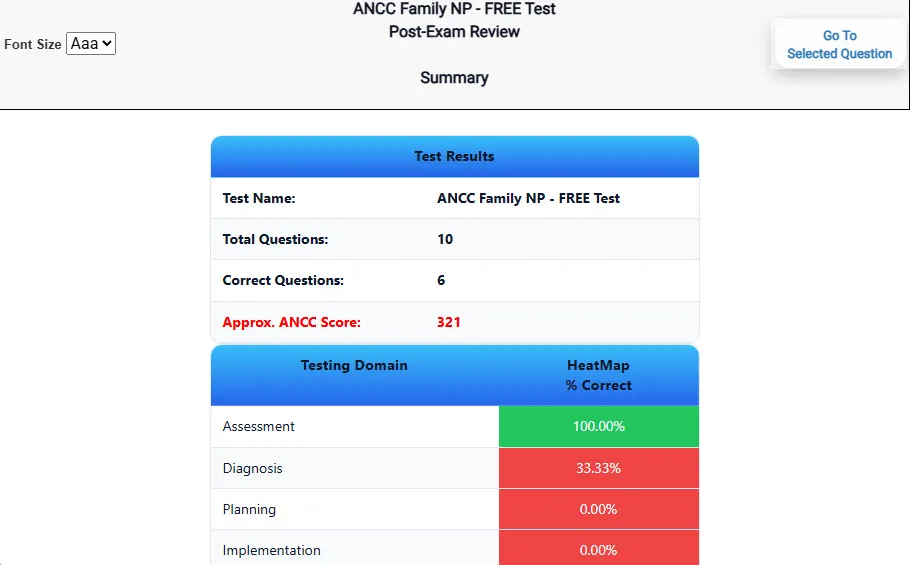
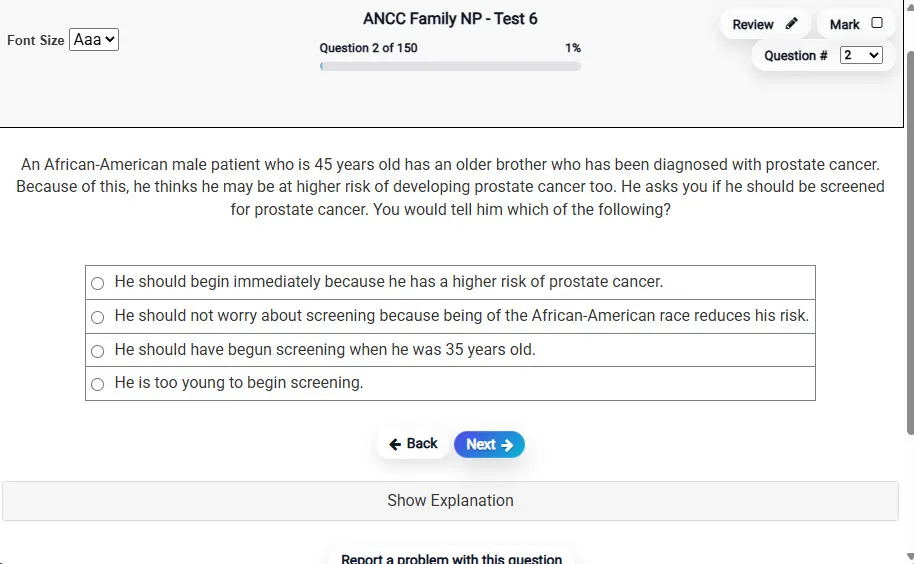
Answering a Question screen – Multiple-choice item view with navigation controls and progress tracker.
Answering a Question Multiple-choice item view with navigation controls and progress tracker.

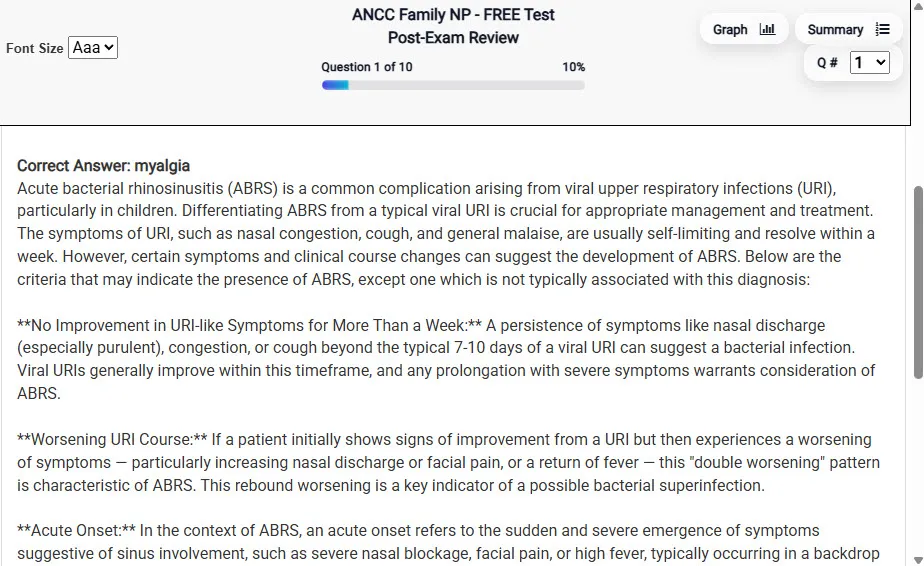
                           Detailed Explanation screen – 
                         Review mode showing chosen answer and rationale and references.
Detailed Explanation Review mode showing chosen answer and rationale and references.

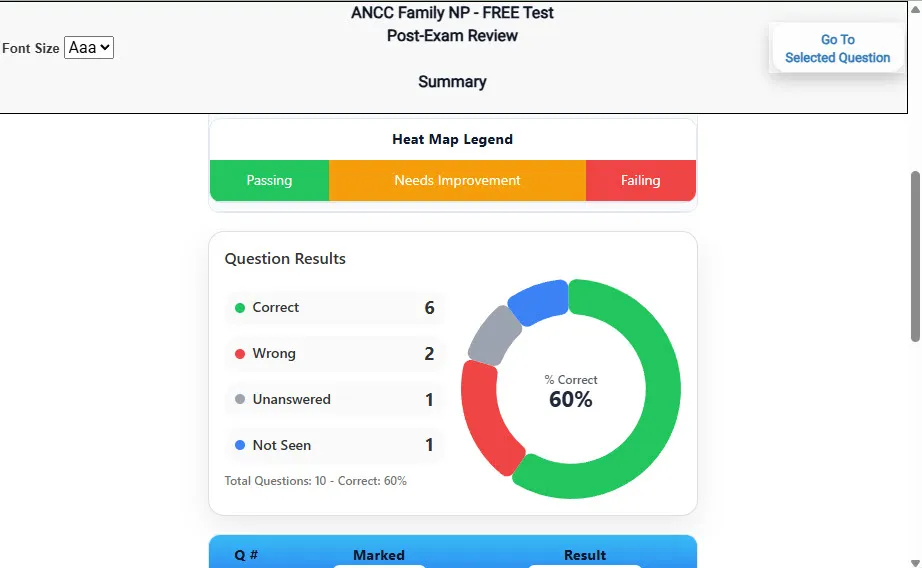
                           Review Summary 1 screen – 
                         Summary with counts for correct/wrong/unanswered and not seen items.
Review Summary 1 Summary with counts for correct/wrong/unanswered and not seen items.

                           Review Summary 2 screen – 
                         Advanced summary with category/domain breakdown and performance insights.
Review Summary 2 Advanced summary with category/domain breakdown and performance insights.

What Each Screen Shows

Answer Question Screen

  • Clean multiple-choice interface with progress bar.
  • Mark for review feature.
  • Matches real test pacing.

Detailed Explanation

  • Correct answer plus rationale.
  • Key concepts and guidelines highlighted.
  • Move between questions to fill knowledge gaps.

Review Summary 1

  • Overall results with total questions and scaled score.
  • Domain heatmap shows strengths and weaknesses.
  • Quick visual feedback on study priorities.

Review Summary 2

  • Chart of correct, wrong, unanswered, not seen.
  • Color-coded results for easy review.
  • Links back to missed items.

Top 10 Reasons to Use Exam Edge for your PMI Scheduling Professional Exam Prep

  1. Focused on the PMI Scheduling Professional Exam

    Our practice tests are built specifically for the PMI SP exam — every question mirrors the real topics, format, and difficulty so you're studying exactly what matters.

  2. Real Exam Simulation

    We match the per-question time limits and pressure of the actual PMI exam, so test day feels familiar and stress-free.

  3. 5 Full Practice Tests & 500 Unique Questions

    You'll have more than enough material to master every PMI SP concept — no repeats, no fluff.

  4. Lower Cost Than a Retake

    Ordering 5 practice exams costs less than retaking the PMI Scheduling Professional exam after a failure. One low fee could save you both time and money.

  5. Flexible Testing

    Need to step away mid-exam? Pick up right where you left off — with your remaining time intact.

  6. Instant Scoring & Feedback

    See your raw score and an estimated PMI Scheduling Professional score immediately after finishing each practice test.

  7. Detailed Explanations for Every Question

    Review correct and incorrect answers with clear, step-by-step explanations so you truly understand each topic.

  8. Trusted & Accredited

    We're fully accredited by the Better Business Bureau and uphold the highest standards of trust and transparency.

  9. Web-Based & Always Available

    No software to install. Access your PMI SP practice exams 24/7 from any computer or mobile device.

  10. Expert Support When You Need It

    Need extra help? Our specialized tutors are highly qualified and ready to support your PMI exam prep.


Pass the PMI Scheduling Professional Exam with Realistic Practice Tests from Exam Edge

Preparing for your upcoming PMI Scheduling Professional (SP) Certification Exam can feel overwhelming — but the right practice makes all the difference. Exam Edge gives you the tools, structure, and confidence to pass on your first try. Our online practice exams are built to match the real PMI SP exam in content, format, and difficulty.

  • 📝 5 PMI Scheduling Professional Practice Tests: Access 5 full-length exams with 100 questions each, covering every major PMI Scheduling Professional topic in depth.
  • Instant Online Access: Start practicing right away — no software, no waiting.
  • 🧠 Step-by-Step Explanations: Understand the reasoning behind every correct answer so you can master PMI SP exam concepts.
  • 🔄 Retake Each Exam Up to 4 Times: Build knowledge through repetition and track your improvement over time.
  • 🌐 Web-Based & Available 24/7: Study anywhere, anytime, on any device.
  • 🧘 Boost Your Test-Day Confidence: Familiarity with the PMI format reduces anxiety and helps you perform under pressure.

These PMI Scheduling Professional practice exams are designed to simulate the real testing experience by matching question types, timing, and difficulty level. This approach helps you get comfortable not just with the exam content, but also with the testing environment, so you walk into your exam day focused and confident.


Exam Edge PMI Reviews


PMI Scheduling Professional Aliases Test Name

Here is a list of alternative names used for this exam.

  • PMI Scheduling Professional
  • PMI Scheduling Professional test
  • PMI Scheduling Professional Certification Test
  • PMI SP test
  • PMI
  • PMI SP
  • SP test
  • PMI Scheduling Professional (SP)
  • Scheduling Professional certification